Desk Setup Guide: A Physio's Home-Office Checklist
6 min read
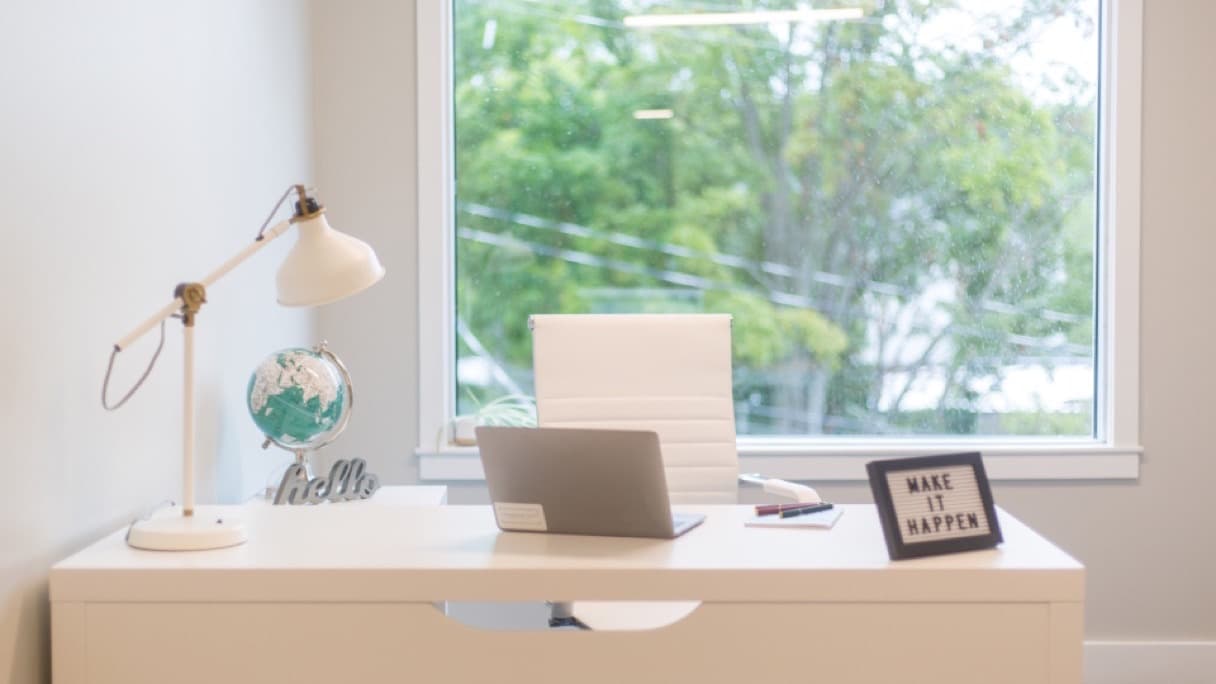
Most weeks I find myself standing in a spare room, a box room or a corner of a kitchen somewhere in Liverpool, looking at the place where somebody spends forty hours of their week. It is almost never a proper office. It is a dining chair, a laptop balanced on a cookbook, and a mouse hand that has been aching since spring. Desk setup ergonomics has a reputation for being fussy, expensive and slightly joyless, and I would like to make the case that it is none of those things. Twenty minutes and a few household objects will fix most of what I see — and the habits matter even more than the furniture.
What a bad desk really does (and what it doesn't)
Let me take some fear off the table first. Sitting badly does not crush your discs, wear your spine out or cause permanent damage, and the idea that there is one perfect posture you must hold rigidly all day is not supported by the evidence. What poor desk setup ergonomics actually does is far more mundane: it asks particular muscles and joints to work in a loaded or shortened position for hours, with almost no variation. Tissues that are held still under load become sensitive. Sensitive tissues ache. That is most desk-related back pain, neck stiffness and shoulder niggle explained in a sentence.
That is genuinely good news, because it means the goal is not a magazine-perfect posture. It is less sustained strain and more variety.
The twenty-minute setup
Chair and sitting height
Get your hips level with, or very slightly above, your knees, with your feet flat on the floor. If your chair is too high for that, a ream of paper or a shoebox makes a perfectly good footrest. Slide your bottom right to the back of the seat so the backrest actually supports you rather than sitting behind you decoratively. If the chair gives no support to the small of your back, a small rolled towel does the job for nothing.
Armrests should let your forearms rest with your shoulders relaxed and down. If they push your shoulders up towards your ears, they are doing more harm than good — lower them or take them off.
Screen height and distance
The top of your screen wants to sit roughly at eye level, about an arm's length away. Too low and you spend the day looking down with the weight of your head hanging off your neck muscles; too close and your eyes work harder than they need to, which quietly drags you forward.
If you work on a laptop, this is the single biggest fix available to you. A laptop cannot be ergonomic on its own: if the screen is at the right height, the keyboard is too high, and if the keyboard is right, the screen is too low. Raise the laptop on a stack of books until the screen is at eye level, then plug in a separate keyboard and mouse. A basic stand and keyboard is the best money most home workers can spend on their bodies.
Using two screens? Put the one you look at most directly in front of you, not off to the side.
Keyboard, mouse and wrists
Keep the keyboard close, with your elbows hanging near your sides and bent at roughly a right angle. Park the mouse immediately next to the keyboard rather than out on a reach — that small stretch, repeated thousands of times a day, is behind a lot of the shoulder and forearm pain I see across Merseyside. Keep your wrists reasonably straight rather than cocked upwards, and hold the mouse lightly; a death grip is a tendon problem waiting to happen.
Light and glare
Where you can, sit side-on to the window rather than facing it or having it directly behind your screen. Late-summer sun on a screen makes people squint, lean in and crane forward without ever noticing they are doing it.
Movement is the real ergonomics
If you take one thing from this article, take this: the best posture is your next one. No setup, however perfect, survives four straight hours in it.
Aim to change position or get up every 20 to 30 minutes. That takes design rather than discipline — stand for phone calls, walk to make the tea rather than filling the kettle at your desk, and take the stairs where there are stairs.
Standing desks are worth mentioning honestly. They help mainly because they add variety, not because standing is inherently superior to sitting; a full day of standing brings its own aches. Alternate. Thirty minutes standing, an hour sitting, repeat.
For a two-minute reset a few times a day, I would use these four:
- Chin tucks — draw your head straight back over your shoulders, 10 slow repetitions
- Shoulder blade squeezes — gently draw the blades together and down, 10 repetitions
- Doorway chest stretch — forearm on the frame, turn gently away, 30 seconds each side
- Standing back extensions — hands on hips, lean gently backwards, 5 to 10 repetitions
None of these should be painful. Stop on sharp pain rather than pushing through it.
Matching the fix to the complaint
Neck and upper back aching by mid-afternoon is usually a screen height problem — raise it and add chin tucks. Low back grumbling is usually a duration problem more than a chair problem, so fix the seat height and set a genuine reminder to stand. Wrist and forearm pain almost always traces back to mouse position, mouse size or grip pressure, and often improves within a fortnight of moving the mouse closer and loosening your hand.
When it is more than a desk problem
Most desk-related aches settle within a couple of weeks once the setup and the movement habits change. Get it assessed properly if that has not happened, if pain is waking you at night, or if it keeps coming back every few months.
Pain radiating down an arm with pins and needles, numbness or weakness suggests nerve irritation rather than simple postural strain, and deserves a proper examination. See a doctor urgently if you develop progressive weakness or clumsiness in your hands, unsteadiness on your feet, numbness in both arms, or back pain accompanied by saddle numbness, bladder or bowel changes, fever or unexplained weight loss. These are uncommon, but they are not things to work through.
Getting a second pair of eyes
Desk problems are one of the few things that are genuinely better assessed remotely: over an online consultation I can watch you work at your actual desk, in your actual chair, and adjust things live rather than guessing from a description. If you would rather I came to you, I provide physiotherapy across Liverpool and Merseyside as home visits, which has the same advantage — I see the real workstation, not an idealised one.
If your home office has been quietly making you sore, let's sort it. Book at /portal/book or call +44 7553 370300 — evenings Monday to Friday, plus Saturday and Sunday daytimes, no GP referral needed.